SmartNews: Live News & Rewards
- 3.7
- Rating
- 50.00M
- Installs
- Free
- Price

 Analysis by App-foxy
I started using SmartNews: Breaking News as a quick way to keep up with headlines without opening several separate publisher apps. It is a free news and magazines app from SmartNews, Inc., built around a mixture of breaking stories, local coverage, and reporting from trusted sources. My first impression was that it works best as a fast daily briefing rather than as a complete replacement for every news source I already read.
The app has a practical appeal for a shared household. One person can check local updates before work, another can scan national headlines during lunch, and someone else can use it simply to fill a few quiet minutes. That flexibility is useful, but it also means each reader needs to understand what the app is showing them and how much context a short headline can provide. SmartNews is strongest when I use it as a starting point for informed reading, not as my only source of information.
How SmartNews fits into a shared household routine
A realistic use case is a family tablet or a phone that gets passed around at home. In the morning, I might open the app to see weather-related local stories, major national developments, and a few topics I follow casually. Later, another household member may browse entertainment or lifestyle coverage. The app makes this kind of quick handoff easy because the main experience is centered on reading headlines and opening stories rather than managing a complicated workflow.
You May Also Like

 AccuWeather: Weather Radar
AccuWeather Review: A Quick, Clear Forecast for Everyday Decisions
For everyday plans, the best forecast is the one you can understand quickly. AccuWeather makes rain timing, radar, and local conditions easy to act on, with a few trade-offs.

 Hill Climb Racing
Why Hill Climb Racing Still Turns Crashes Into One More Run
A tiny car, a bumpy hill and one more upgrade: Hill Climb Racing keeps resurfacing because its simple chaos makes every near-miss feel personal.

 AliExpress - Shopping App
AliExpress Makes Global Shopping Feel Personal, but Shoppers Bear the Risk
AliExpress turns a global marketplace into a pocket-sized discovery engine. Its reach is useful, its shopping loop compelling, and its trade-offs easy to miss.

 Lords Mobile: Kingdom Wars
Lords Mobile Is a Kingdom-Building Routine, Not a Quick Match
A case-by-case verdict on the building, battles, device demands, and social commitments that make Lords Mobile rewarding for some players and exhausting for others.

 PDF Scanner app - TapScanner
TapScanner Makes Paperwork Easier to Capture, Check, and Share
TapScanner makes scanning with a phone feel less like a rescue operation and more like a dependable step in getting work done. Its capture tools are useful, though not flawless.

 Block Blast!
Block Blast! Shows How Much a Puzzle Game Can Leave Out
A quiet grid game shows why puzzle players increasingly value instant clarity, repeatable skill and low-pressure play—and where the genre still needs to catch up.
More From Our News Desk
View All News


That convenience comes with a boundary: a shared device does not automatically create a shared news perspective. If two people read the same headline list, they may still choose different stories, interpret the importance differently, or prefer different publishers. I would not treat the home screen as a neutral summary of everything happening. It is a selection designed for quick discovery, so I still open the full article when a story affects a decision, a trip, work, or family plans.
For a household that wants a simple common briefing, SmartNews can reduce the need to pass around several apps. It is especially handy when one person is not interested in building a carefully organized news setup. The free price also makes it easy to try without committing money first. However, people who need deep topic research, specialist reporting, or a highly controlled reading list may find a dedicated newspaper app or RSS reader more suitable.
What the first setup feels like
The basic setup is approachable because the app’s purpose is immediately clear: open it, scan available coverage, and choose what deserves more time. I do not need to understand a complicated publishing system before getting value from it. That makes it a reasonable choice for a less technical family member who wants headlines but does not want to configure multiple feeds.
I recommend spending a little time deciding which subjects are genuinely useful before turning the app into a constant stream of distractions. News apps can easily become a reflex, especially when every interesting headline looks urgent. I use SmartNews more effectively when I decide whether I am checking for local developments, catching up on major events, or browsing for something lighter. Giving each visit a purpose makes the short format feel more manageable.
The app is rated for Teen users, which is an important household detail. That rating should not be confused with a guarantee that every story will suit every younger reader. News can involve upsetting events, conflict, crime, disasters, or strong opinions. If a child or teenager uses a shared device, I would discuss how to handle stories that feel disturbing and encourage them to ask an adult about confusing headlines rather than relying on a quick summary.
Keeping personal boundaries on a shared device
One of the practical questions in a shared-device home is whether every reader wants the same browsing experience. I would avoid assuming that one person’s reading habits should define everyone else’s. A teenager may want entertainment and sports, while a parent may care more about local affairs or business. If the device is passed from person to person, each user should make a habit of checking the visible sections before drawing conclusions about what matters to the rest of the household.
I also think it is wise to separate news browsing from family decisions. If someone sees a story about travel conditions, health, school, or public safety, the headline should prompt a conversation and a check of the original reporting or an official source. SmartNews is useful for surfacing a development quickly, but the app should not become the household’s sole authority for sensitive choices.
There is another small but meaningful boundary: reading time. A shared device can encourage people to keep scrolling because the next story is always available. I prefer using it in short sessions, then closing it once I have found the stories that matter. This keeps the app from taking over the device and leaves room for direct conversations, especially when several family members are using the same screen.
Using the app to coordinate without overcomplicating things
SmartNews can help a household coordinate informally. I might mention a local story at breakfast, show a relative an article that affects the day’s plans, or use the headline list to start a conversation about an event. Its value here is speed: it helps people notice the same broad topics without asking everyone to search independently.
Still, I would not mistake shared awareness for shared organization. The app is not a family calendar, task manager, or formal alert system. If a story changes a meeting time, a route, or a household responsibility, I would communicate that directly instead of assuming everyone will see the same item. The best workflow is simple: use SmartNews to discover something, verify what matters, and then coordinate through the household’s normal conversation or messaging habits.
A useful trick is to read the headline, identify the publisher, and then decide whether the story needs a full read. This prevents a dramatic title from becoming the entire basis of a family discussion. It also helps younger readers learn the difference between noticing a story and understanding it. That extra step is easy to skip when time is short, but it is one of the most valuable habits I developed while using the app.
Another trade-off appears when several people have different definitions of “important.” The app can offer breadth, but breadth is not the same as agreement. I would use it for a quick shared scan, then let each person follow the subjects relevant to them. That approach keeps the app useful without forcing the household into one reading pattern.
Local stories, breaking headlines, and the need for context
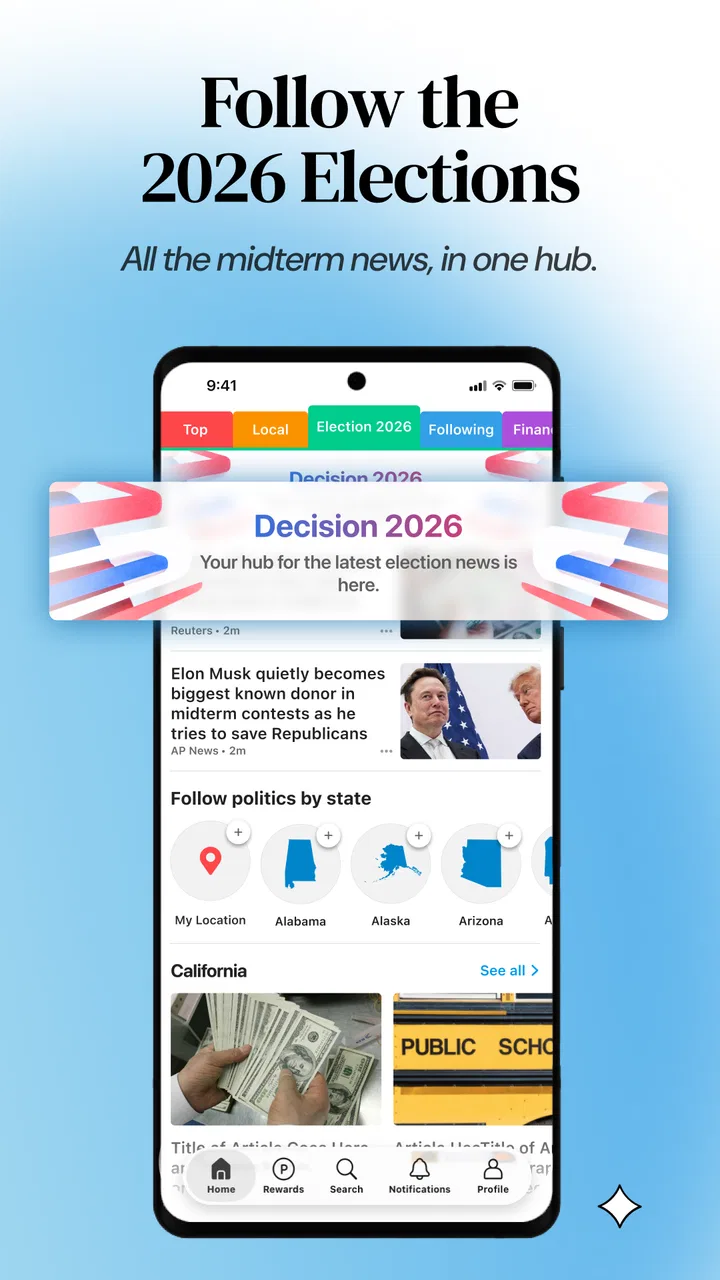
The combination of local coverage and breaking headlines is the app’s clearest strength for everyday use. Local stories can be more immediately relevant than national analysis when I am planning a commute, watching community developments, or trying to understand what people nearby are discussing. Breaking coverage is helpful when I want an early overview and do not yet know which outlets are reporting on an event.
The limitation is that speed often means the first view is compressed. A headline may tell me what happened, but not why it happened, what remains uncertain, or how the situation is developing. I treat the initial screen as a map of the news rather than the final destination. When the subject is serious, I open the article and look for specific details, dates, named sources, and updates.
This is also where SmartNews differs from a traditional newspaper app. A newspaper subscription may offer a more deliberate editorial package, longer investigations, and a consistent publication voice. SmartNews feels broader and quicker, making it better for discovery across different subjects. On the other hand, someone who wants a single publication’s full reporting universe may prefer that publication’s own app.
Compared with social media, I find SmartNews less dependent on the unpredictable flow of personal posts and arguments. It gives me a more direct route to news stories. But it is not a substitute for careful source evaluation. Social platforms expose reactions and eyewitness discussion, while SmartNews is more focused on headline discovery and article reading. The better choice depends on whether I need a calm briefing, live public reaction, or deep reporting.
Age, trust, and conversations at home
The Teen content rating makes SmartNews more appropriate for older children and teenagers than for very young readers, but I would still use judgment. A rating does not remove the need for age-appropriate guidance. News is unpredictable by nature, and a general news app can surface subjects that a parent may want to explain before a younger reader continues.
Trust is equally important for adults. The app’s store summary emphasizes trusted sources, but I still check the article itself when the information could affect someone’s safety, money, health, or reputation. I look at who published it, whether the wording distinguishes facts from claims, and whether other reliable sources describe the situation similarly. This is not a criticism unique to SmartNews; it is simply the right habit for any app that gathers news from multiple sources.
For a teenager using a shared phone, I would encourage a three-step routine: read beyond the headline, identify the source, and ask what information is still missing. That routine is more useful than telling them to trust or distrust every story automatically. It turns the app into a tool for media literacy instead of just a stream of attention-grabbing titles.
Adults may also appreciate that the app can make news less intimidating for someone who has fallen out of the habit of reading it. A short visit can reveal several subjects without demanding a long subscription commitment. Yet readers who feel anxious after repeated exposure to breaking coverage should set a clear stopping point. More headlines do not always produce more understanding.
Performance, cost, and the version I reviewed
SmartNews has been available since March 26, 2013, and its current version is 26.3.10. It requires Android 8.0 or later, so owners of older devices should check compatibility before planning to use it on a spare household phone. The app has passed fifty million installs, which suggests that its quick-news format has broad appeal, although popularity by itself does not guarantee that its presentation will suit every reader.
There is no purchase required to start using it. Optional in-app purchases are listed at $3.99 to $4.99 per item, so I would review any purchase prompt carefully before confirming it, particularly on a device used by several people. A free starting point is convenient for testing whether the app fits the household’s habits, while the presence of optional purchases means shared-device users should keep spending decisions separate from casual browsing.
The average rating is 3.7 from around 695,000 ratings, with roughly 119,000 written reviews. I read that overall response as a sign of a useful but not universally loved experience. That matches my own view: the app is convenient and easy to revisit, but news presentation is personal. Some readers will appreciate the quick mixture of sources, while others will dislike the amount of scanning or want more control over exactly what appears.
The developer, SmartNews, Inc., has kept the product focused on news discovery rather than turning it into a general-purpose social platform. I like that focus, but I would still keep expectations realistic. It is a news and magazines app, not a replacement for a local authority, a specialist publication, or a direct emergency communication channel.
Who should use it, and who should choose something else
I would recommend SmartNews to someone who wants a fast overview of local and major stories, prefers a free app, and does not want to maintain a long list of publisher apps. It is also a sensible option for a household where different people want to browse different subjects on the same device. The short sessions make it approachable for readers who are trying to rebuild a daily news habit.
I would be more cautious about recommending it to a reader who wants one consistent editorial voice, extensive investigative work, or complete control over every item in the feed. A dedicated newspaper app may be better for depth and continuity. An RSS reader may suit someone who wants to choose every source manually. An official local-news or government app is a better choice when accuracy and direct updates matter for a specific public service.
I would also skip it as a sole news source if I were making important decisions from headlines alone. The app is valuable for finding what deserves attention, but I would verify consequential information elsewhere. That is the central trade-off: it saves time at the discovery stage, while serious understanding still requires time and judgment.
My household verdict
After using SmartNews as a quick briefing tool, I see it as a practical addition to a shared-device household rather than a complete news solution. It helps several people notice current topics, local developments, and breaking stories without requiring a complicated setup. Its free entry point and straightforward format make it easy to test, and its Teen rating gives families a useful starting point for age conversations.
My recommendation is to create a simple household rule: use the app to discover, read the full story before reacting, and verify anything that affects plans or wellbeing. That one habit addresses most of the friction I encountered. It keeps the convenience while reducing the risk of treating a headline as a complete explanation.
SmartNews is worth trying if you want speed and breadth, but it works best with clear personal boundaries and sensible source-checking. I would install it for quick daily awareness, especially when local stories matter, while keeping a trusted specialist or official source available for deeper and more important questions.
FAQs for SmartNews: Live News & Rewards
01What is SmartNews: Breaking News?
SmartNews is a news aggregation app that curates top stories from major news sources around the world. It offers a streamlined interface for easy reading and allows users to customize their news feed based on interests. The app is designed to provide quick and reliable news updates, making it ideal for users who want to stay informed on the go.
02Is SmartNews free to use?
Yes, SmartNews is free to download and use. However, it may display ads within the app. Some features might require an internet connection, and certain content might link to external websites that have their own subscription models. Overall, the core features remain accessible without any charges.
03How does SmartNews curate its news stories?
SmartNews uses advanced algorithms to analyze millions of news articles each day, selecting the most relevant and trending stories. It partners with numerous reputable news outlets to ensure a diverse range of perspectives. Users can also customize their feed to prioritize topics they are most interested in.
04Can I customize my news feed on SmartNews?
Yes, SmartNews allows users to personalize their news feed according to their preferences. You can choose specific categories or topics of interest, ensuring that you receive news that is most relevant to you. This feature enhances user experience by delivering tailored content right to your device.
05Is SmartNews available on both Android and iOS devices?
SmartNews is available for download on both Android and iOS platforms. Users can find it on the Google Play Store for Android devices and the Apple App Store for iOS devices. The app is designed to function smoothly across different devices, providing a consistent experience regardless of the platform.
Pros
- Offers a wide range of news sources.
- Easy to navigate and customize feed.
- Offline reading mode available.
- Minimal ads for an uninterrupted experience.
- Alerts for breaking news updates.
Cons
- Limited video content options.
- No comment section for articles.
- Occasional delayed news updates.
- Some sources may require subscriptions.
- No built-in dark mode available.

SmartNews: Live News & Rewards
Gallery